
So, all you want is to create a new visual studio project called MyProject in a SINGLE directory called MyProject. But behold, Visual Studio has created a million levels of directories called \MyProject\MyProject\MyProject for your project. And put it all all in source control to boot.
Simples:
- Specify your project name
- Specify the parent directory for MyProject
- Untick 'Create Solution Directory
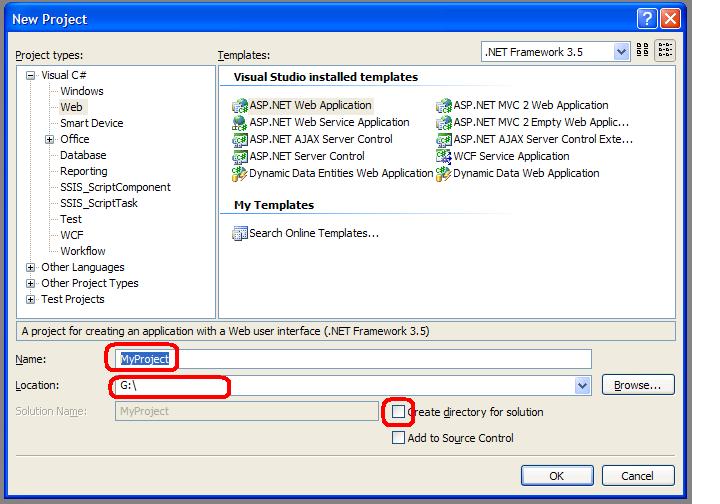
Voila.
Enjoyed reading through this, very good stuff, thankyou .
Hi there, after reading this awesome post i am too cheerful to share my know-how here with friends.